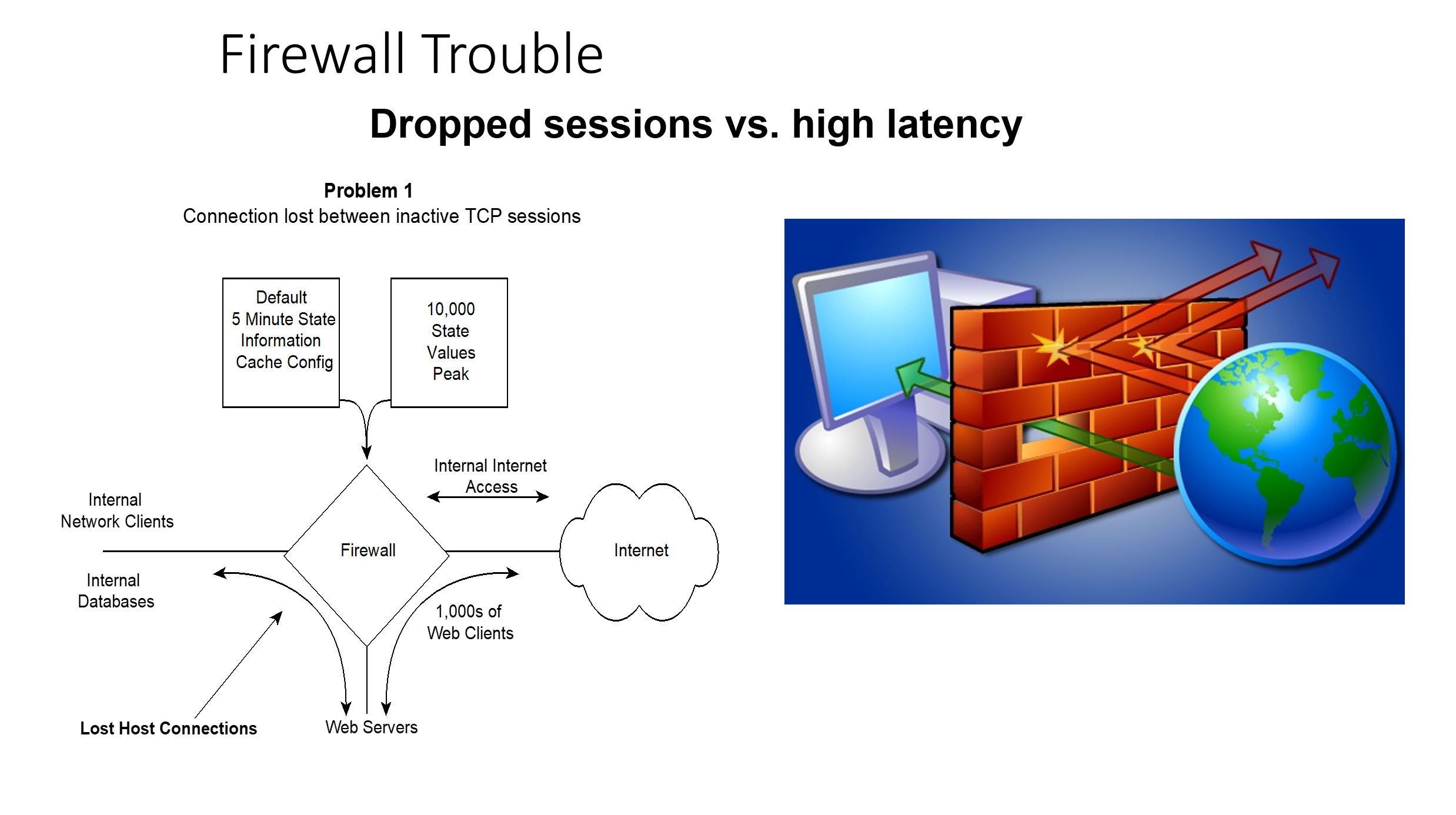
Firewalls keep address, port, direction and access status information on sessions. How much is too much and how much is too little? What is the result of too much or too little state information cache in your firewall? How long should the firewall keep state information?
Problem 1: Dropped Connections
We've seen an alarming number of firewalls that maintain state information for only 5 minutes of inactivity and then lose important connections to systems across firewalls.
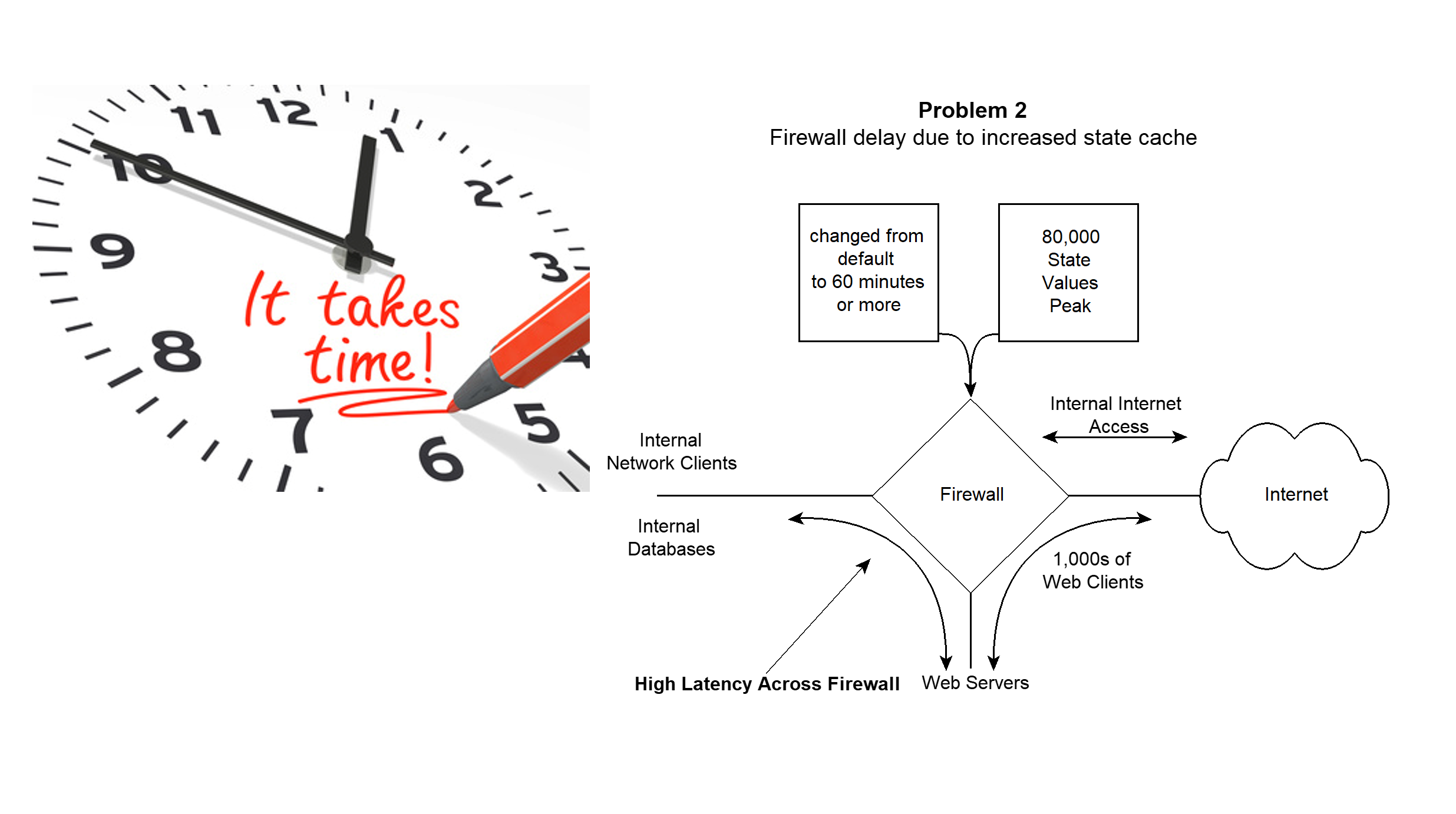
Problem 2: High Latency
We've also seen firewalls that maintain state information for so long (up to one hour or more) that latency through the firewall becomes so high that performance suffers.
So, what's happening? Why do some keep state information for long periods and others for only a few minutes?
If your web server accesses your database server across a firewall and is inactive for five minutes, the firewall will drop the connection. So it either must start a new connection or your application fails intermittently after five minutes of inactivity.
In order to combat this problem, many security folks have simply increased the timeout from a default of five minutes to hold state information to something higher. Once having done this, the number of sessions in the state cache is so high that lookups delay packets through the firewall.
The TCP Keep-Alive Problem
Here's the scoop. TCP sessions use a two hour keep alive by RFC default. That means that every two hours of no activity a TCP session will send a TCP-ACK and the other side will reply with an ACK too, keeping the session open between them. With firewalls having a short period of state information, sessions drop well before the two hour keep-alive occurs.
The Solution
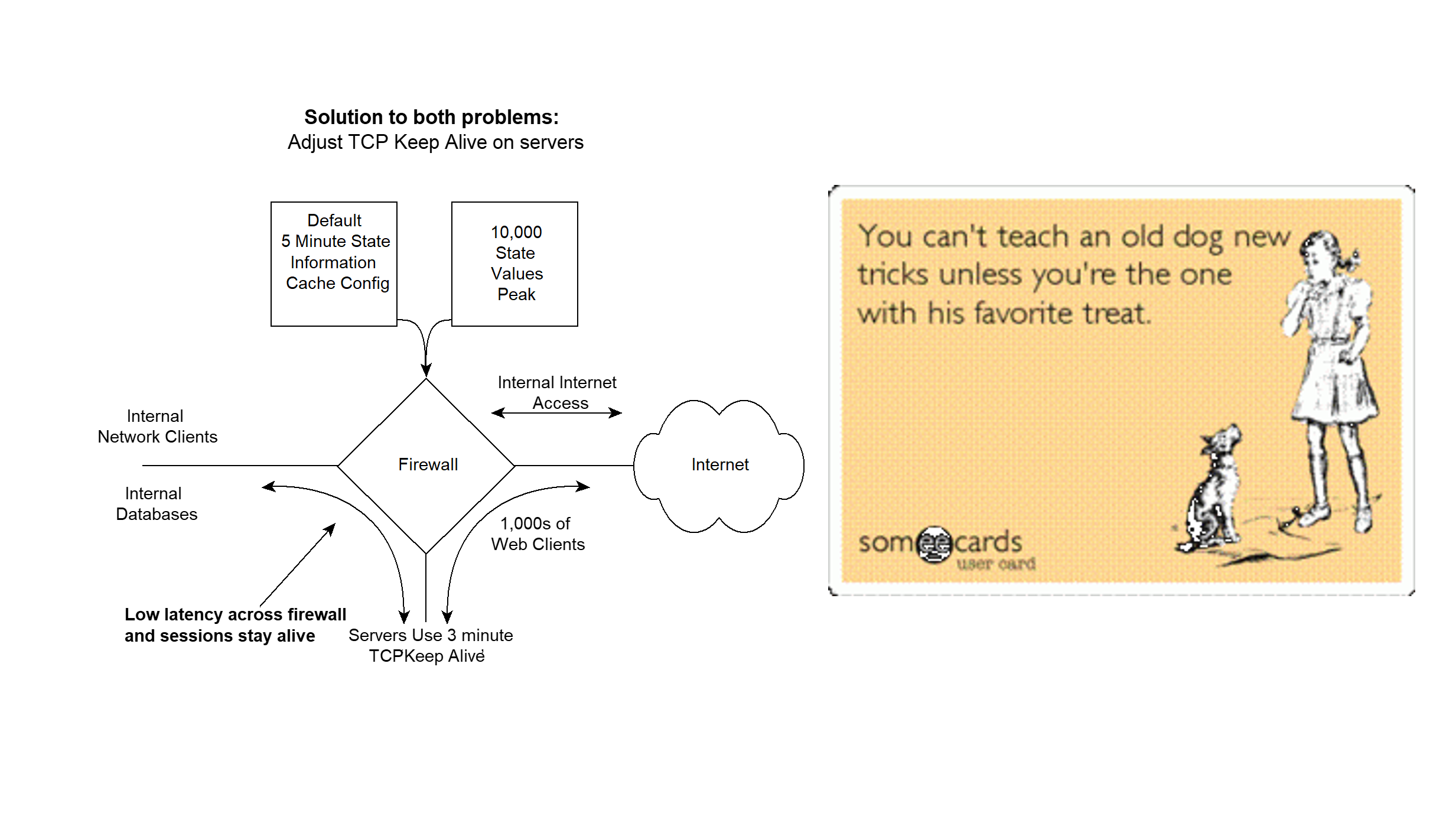
To fix both problems of high latency through the firewall and dropped connections between inactive TCP sessions the following can be done: Recommend that all your desktops change their TCP keep-alive value from two hours to three minutes. Great solution huh? All you have to do is touch all your end stations — NOT!
The solution is to change the TCP keep-alive only on the server. Changing only the server TCP keep-alive will solve the problem. That means you only have to change your servers and not your end stations, some of which you may not even be able to manage if they are internet clients.
By changing your server's TCP keep-alive it will initiate an ACK – ACK exchange that will keep the state alive for however long the session is connected and then you can lower the length of time state cache is maintained to something more reasonable to reduce firewall latency.
AI Infrastructure and the State Table Problem
AI inference workloads have made firewall state table management a first-order infrastructure concern. LLM API endpoints maintain long-lived, persistent TCP connections that behave nothing like traditional web traffic. A single AI-powered application can hold open hundreds of concurrent sessions to model providers, each one consuming a state table entry for the duration of the inference call. Multiply that across an enterprise deploying AI agents, copilots, and retrieval-augmented generation pipelines, and the state table math changes dramatically. The same keep-alive tuning documented here applies directly -- but the stakes are higher when a state table overflow kills your AI pipeline mid-inference.
The convergence of AI, cybersecurity, and network infrastructure means firewall engineers now need to understand AI traffic patterns. GPU clusters running distributed training generate persistent east-west connections that never existed in traditional architectures. Packets never lie: if your firewall is dropping AI sessions, the wire will show you exactly where the state table broke. Bill Alderson covers how AI workloads are reshaping network infrastructure on the Morpheus Cyber podcast.